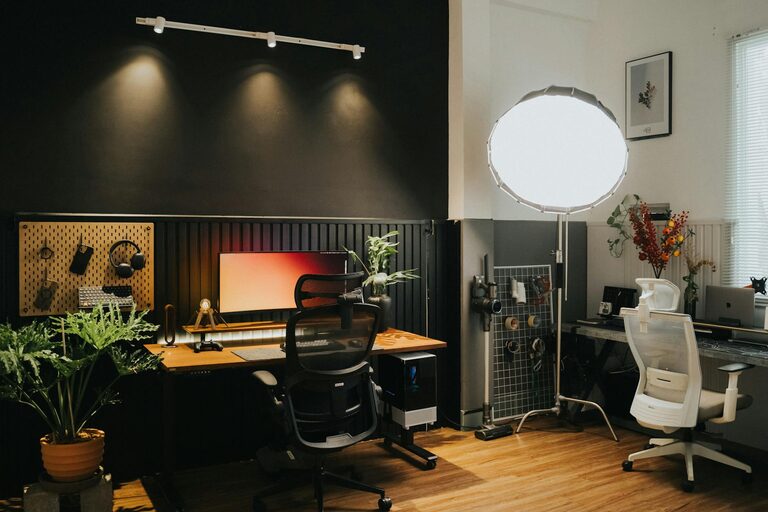
Creating an organized and comfortable home workspace can make a significant difference in your daily productivity and overall work experience. Whether you’re working remotely full-time or occasionally from home, having a dedicated and well-arranged area helps reduce distractions, improve focus, and keep your mood positive. In this post, we’ll explore simple, practical tips for organizing your home workspace to maximize both comfort and productivity.
Why Organize Your Home Workspace?
Before diving into the tips, it’s worth understanding why organization matters. A cluttered space often leads to a cluttered mind, making it harder to concentrate. On the other hand, a tidy, thoughtfully arranged workspace encourages creativity, streamlines workflow, and reduces stress. Plus, comfort is just as important — an ergonomic setup prevents strain and fatigue, allowing you to work longer without discomfort.
1. Choose the Right Spot
Finding the ideal location for your home workspace sets the foundation. Here are some factors to consider:
– Natural Light: Position your desk near a window if possible. Natural light helps you stay alert and improves mood.
– Quiet Area: Pick a space with minimal noise and distractions.
– Space Availability: Ensure you have enough room for your computer, paperwork, and any other tools.
If space is limited, a small corner or a fold-away desk can work well. The goal is to have a dedicated spot separate from leisure areas.
2. Declutter Your Desk
A clutter-free desk helps you focus better. Here’s how to keep things tidy:
– Limit Items: Keep only essentials on your desk—computer, notebook, pen, maybe a small plant.
– Use Organizers: Desk trays, pen holders, and cable management tools keep things neat.
– Clear Daily: Spend a few minutes at the end of each day clearing unnecessary items.
Less clutter means fewer distractions and a cleaner look that feels inviting.
3. Optimize Storage Solutions
Smart storage solutions keep your workspace organized and efficient.
– Shelves and Drawers: Use shelving units or drawer organizers to store documents and supplies.
– Label Boxes: Label storage containers to quickly find what you need.
– Vertical Storage: Use wall-mounted organizers or pegboards for small items to save desk space.
This helps maintain order and keeps everything within easy reach.
4. Invest in Ergonomic Furniture
Comfort is key to staying productive over time.
– Chair: Choose an adjustable chair that supports your back and promotes good posture.
– Desk Height: Your desk should be at a height that allows your arms to rest comfortably at a 90-degree angle while typing.
– Monitor Placement: Position your monitor at eye level to avoid neck strain.
Adding a footrest or wrist pad can also increase comfort during long work sessions.
5. Manage Cables and Electronics
Cables can quickly become a tangled mess, adding to stress and clutter.
– Cable Ties and Clips: Use these to bundle and guide cords.
– Wireless Devices: Consider wireless keyboards, mice, or headphones to reduce cable clutter.
– Power Strips: Use power strips with surge protection and mount them out of sight if possible.
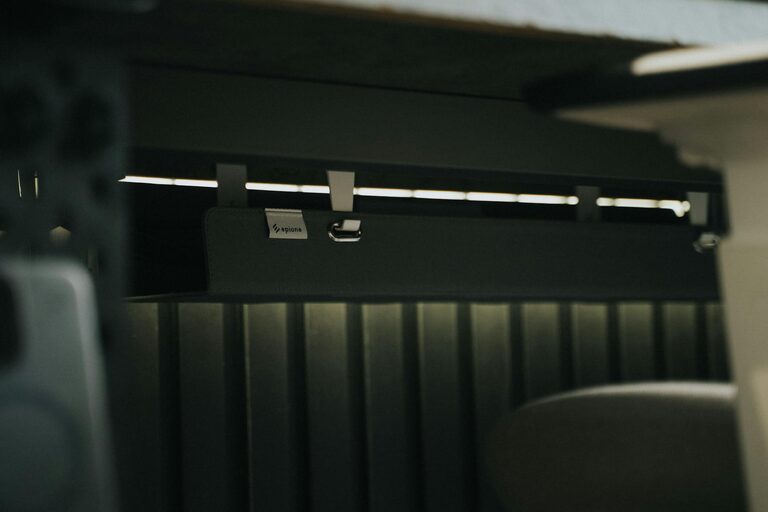
A neat cable setup not only looks better but makes cleaning and maintenance easier.
6. Personalize Your Space
A workspace feels more inviting when it reflects your personality without becoming distracting.
– Add Plants: Small plants improve air quality and add a calming natural element.
– Incorporate Art: Hang inspiring artwork or photos.
– Use Color Wisely: Choose calming colors for walls and accessories to promote focus.
Personalizing your space can boost mood and creativity while keeping your area professional.
7. Improve Lighting
Proper lighting reduces eye strain and keeps energy levels up.
– Task Lighting: Use a desk lamp with adjustable brightness to focus light where needed.
– Avoid Glare: Position your monitor to avoid direct reflections.
– Use Multiple Light Sources: Combine overhead and task lights for balanced illumination.
Good lighting supports longer, more comfortable work periods.
8. Establish a Routine for Tidying
Keeping your workspace organized requires consistent effort.
– Daily Reset: Spend a few minutes before finishing work each day to tidy your desk.
– Weekly Deep Clean: Once a week, clean surfaces and organize any loose papers or items.
– Review Supplies: Regularly check your stock of office supplies and replenish as needed.
Routine maintenance prevents clutter from accumulating and keeps your workspace functional.
Final Thoughts
Organizing your home workspace is a simple yet effective way to boost productivity and comfort. By selecting an ideal location, decluttering, optimizing storage, investing in ergonomic furniture, managing cables, personalizing your area, improving lighting, and maintaining a tidying routine, you create an environment that supports your best work. Start implementing these tips today and enjoy a more efficient and enjoyable work-from-home experience!
About the Author